


No Brand Digital Recorder Voice Recording Tracer for Lecture Meeting Recording Voice Recording Evidence Secret Record
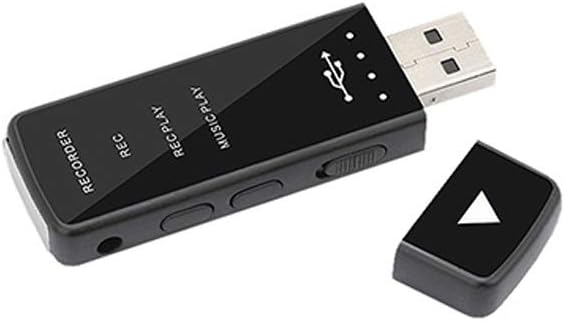
Product Details
- Item Weight: 2.2 pounds
- Item model number: KVR-01
- Is Discontinued By Manufacturer: No
- Manufacturer: No Brand
- High quality sound recording
- With high sensitivity microphone
- Led indicator
- Set time function
- Compact Size
Product Description High quality sound recording With high sensitivity microphone Led indicator Set time function how to use set time function When recording, the third party's recorder had to be inconvenient because the preset date and time was created and the current time and date did not match. To get rid of this inconvenience, this recorder has a set time feature so you can see immediately when you recorded. You can simply check the set time after connecting to pc, you must be in power on state. Set time Process 1.Connect the body of the recorder to the PC. Then go to the removable disk and enter the set time folder 2.Once inside, you have two files, of which you can double-click on the .exe executable. 3.Double click the executable file and a popup window will appear. 4.If settime is clicked, it is entered at the same time as the time displayed on the computer. Note! Things to remember when recording a charge When charging or recording, it must be used in power on state. Power off only when completely unused. Product specification Operating time: 10 hours continuous (storage capacity: 45 hours recording) Recording file format: WAV Transmission speed : USB 2.0 High Speed Interface: USB 1.1 / 2.0 support Size: 73mm x 24mm x 9 mm Weight: 15g